
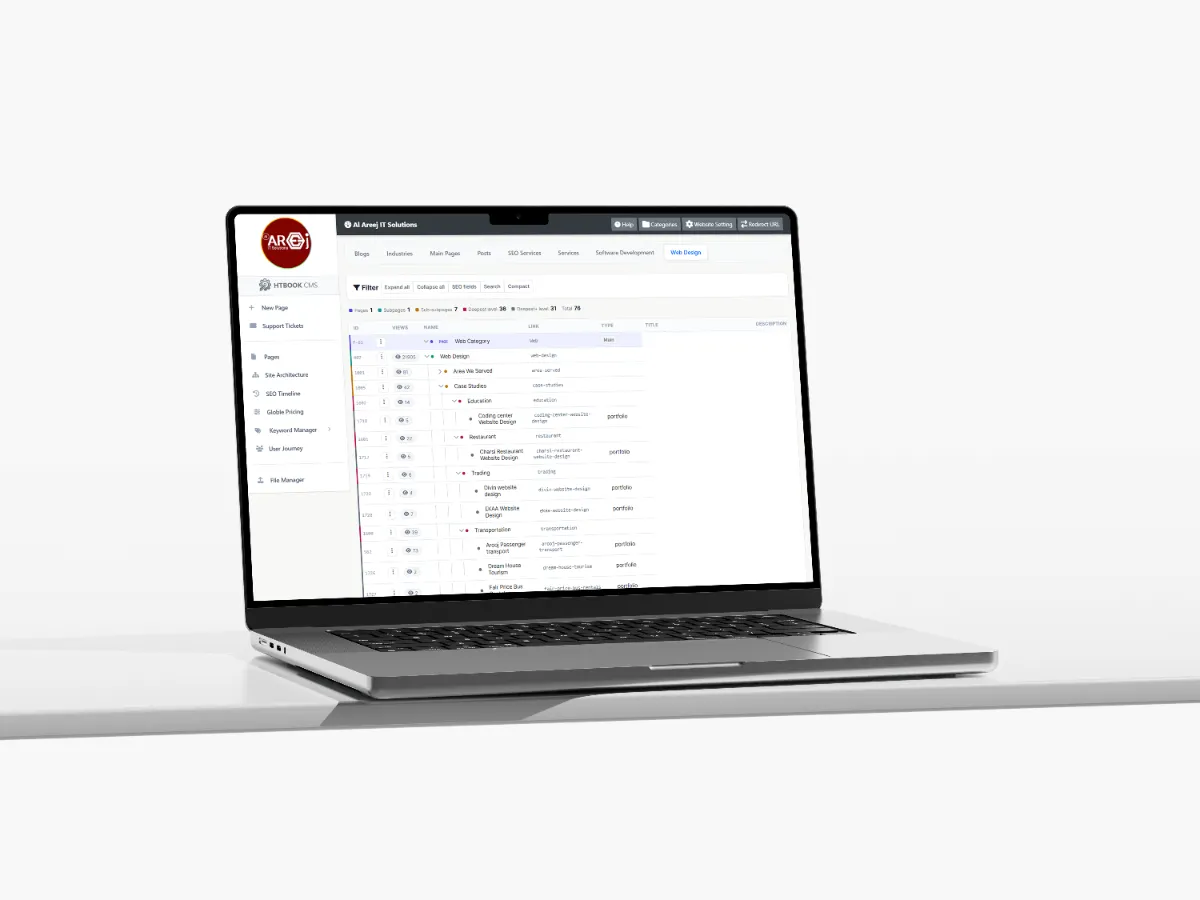
Powerful Content Management System for Websites
Manage website pages, content, SEO, URLs, files, and site structure from one powerful Content Management System built by Al Areej IT.
Read the articleLearn why website support and maintenance matter, including security, backups, updates, performance, content, SEO, technical support, and ongoing improvements.
Launching a website is not the end of the project. A website needs attention after it goes live because content changes, software needs updates, security threats change, and business requirements continue to grow.
Website support and maintenance is about keeping the website working properly and making improvements when they are needed. Some websites need only occasional updates, while larger websites and business systems may need regular monitoring and technical support.
The goal is simple: keep the website secure, available, useful, and ready for the business as it changes.
Website maintenance includes the regular technical and content-related work required to keep a website running correctly.
This can include software updates, security checks, backups, performance improvements, content updates, broken-link checks, database maintenance, and other technical tasks.
The exact work depends on how the website was built and what features it provides.
Website support is more focused on helping when something needs attention. A page may need updating, a form may stop working, a new section may need to be added, or a technical problem may need to be investigated.
Support can also include ongoing improvements when the business wants to add new features or change how the website works.
Monitor the website, apply appropriate updates, review security issues, and take reasonable steps to reduce avoidable security risks.
Keep the website software, libraries, plugins, frameworks, and other supported components updated when necessary.
Maintain appropriate backups so important website files, databases, and business information can be recovered when needed.
Monitor website speed and investigate technical issues that may make pages slower or affect the visitor experience.
Update services, images, prices, company information, pages, announcements, and other content as the business changes.
Investigate errors, broken features, integration problems, layout issues, and other technical problems that appear over time.
Web technology changes continuously. Servers are updated, browsers change, security vulnerabilities are discovered, third-party services change their systems, and businesses update their own requirements.
A website that worked perfectly when it launched can develop problems months or years later if it is completely ignored.
Regular maintenance helps identify problems earlier instead of waiting until something becomes a major issue.
Websites built with content management systems, frameworks, plugins, libraries, and other software may require regular updates.
Updates can include security fixes, bug fixes, compatibility improvements, and new functionality. However, updates should not always be applied blindly, especially on a complex business website.
Important websites should be backed up and tested appropriately before major changes are applied.
Backups are one of the simplest ways to reduce the impact of unexpected problems.
A useful backup strategy should consider both website files and databases. Depending on the website, there may also be uploaded documents, images, configuration files, customer information, or other data that needs to be protected.
A backup is most useful when it can actually be restored, so important backup systems should be checked rather than simply assuming they work.
No website can be completely protected from every possible threat, but sensible security practices can reduce many avoidable risks.
Security maintenance may include software updates, strong access controls, monitoring, secure configuration, backups, malware checks where appropriate, and reviewing unusual activity.
Business websites should also limit unnecessary access to administrative systems and keep sensitive information protected.
Maintenance is not only technical. Customers also notice when website information becomes outdated.
Old phone numbers, incorrect addresses, discontinued services, outdated prices, expired offers, or old team information can make a business look less reliable.
Review important business information regularly and update it whenever something changes.
Links can become broken when pages are renamed, deleted, or moved. External websites can also change their URLs.
Broken links create a poor user experience and can make it harder for visitors to reach useful information.
Regular checks can help identify important broken links and missing pages before they become a bigger problem.
Contact forms, enquiry forms, booking forms, newsletter forms, and other website forms are often directly connected to the business.
If a form stops sending messages, the business may lose enquiries without realizing it.
Important forms should therefore be tested regularly, especially after server changes, software updates, email configuration changes, or development work.
A website can become slower over time as new images, scripts, plugins, pages, integrations, and other resources are added.
Performance maintenance involves identifying what is making the website slower and improving the problem where possible.
This may involve image optimization, code improvements, database maintenance, caching, server configuration, or removing unnecessary resources.
Websites that use databases can accumulate old records, temporary information, logs, unused data, and other database content over time.
The database should be managed carefully according to the requirements of the application. This may include optimizing queries, reviewing indexes, maintaining tables, and monitoring database performance.
Database maintenance should always be approached carefully because business websites may contain important operational information.
Many modern websites connect to external services. These might include payment gateways, maps, email systems, CRM platforms, analytics tools, booking systems, shipping services, or other APIs.
When an external service changes its API or authentication system, the website may need to be updated as well.
This is one reason why ongoing support can be important for websites that depend on several external systems.
SEO is not necessarily a one-time task completed when the website launches.
New pages may need optimization, old information may need updating, links may need improvement, and technical problems may appear as the website grows.
Regular SEO reviews can help keep the website technically healthy and ensure that important content continues to serve the people searching for it.
Once a website is live, you can learn things that were difficult to predict during the original design process.
You may discover that visitors regularly use one service page, ignore another section, abandon a particular form, or search for information that is difficult to find.
These observations can guide future improvements and make the website more useful over time.
Website improvement does not always require a complete redesign.
Sometimes changing a confusing heading, improving a contact form, adding a missing FAQ, updating an image, fixing a broken link, or simplifying navigation can make the website noticeably better.
Regular small improvements can also reduce the need for large emergency changes later.
There is no single schedule that works for every website.
A simple informational website may only need occasional content and technical updates. A busy ecommerce website, booking platform, or custom business application may require much more frequent monitoring and support.
The right maintenance schedule depends on the technology, traffic, business importance, security requirements, and amount of content being changed.
Maintenance keeps an existing website working and up to date. A redesign is a larger project that changes the website's structure, appearance, user experience, technology, or overall direction.
Maintenance can sometimes delay the need for a redesign because small problems are dealt with continuously. However, if the underlying structure or technology has become unsuitable, a larger redesign or rebuild may eventually be the better option.
For a business website, it helps to know who is responsible when something goes wrong.
A clear support process can define how issues are reported, how urgent problems are handled, how updates are requested, and how larger development work is separated from routine maintenance.
This makes ongoing website management easier for both the business and the development team.
A website is a business asset. Like other business systems, it benefits from regular attention.
Keeping the website updated, secure, accurate, fast, and useful helps protect the investment made during the original design and development project.
More importantly, ongoing support gives the business somewhere to improve as its customers and requirements change.
The internet, technology, and customer expectations will continue to change. Your website should be able to change with them.
Good maintenance keeps the current website healthy, while ongoing development gives you the opportunity to add new features and improve the customer experience when the business needs them.
Next guide: Conversion Focused Web Design — learn how website structure, content, calls to action, and user experience can help visitors take useful actions.
Helpful tips, insights and updates on websites, software and digital growth.

Discover the 5 things customers look for within seconds of opening your website, from clear messaging and professional design to trust, navigation, and strong calls to action.
Read the article
Manage website pages, content, SEO, URLs, files, and site structure from one powerful Content Management System built by Al Areej IT.
Read the article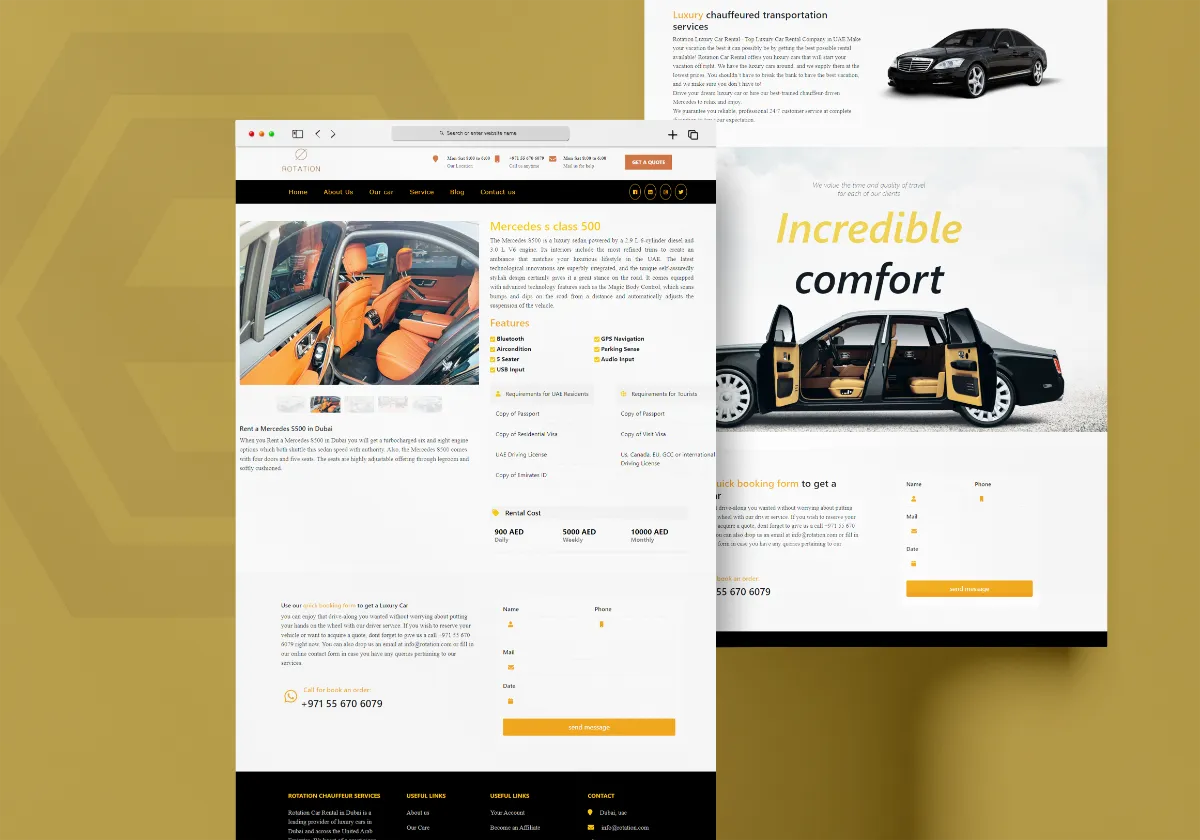
Discover how Al Areej IT designed a professional website for Rotation Car Rental with responsive design, SEO-friendly structure, and stronger Google visibility.
Read the article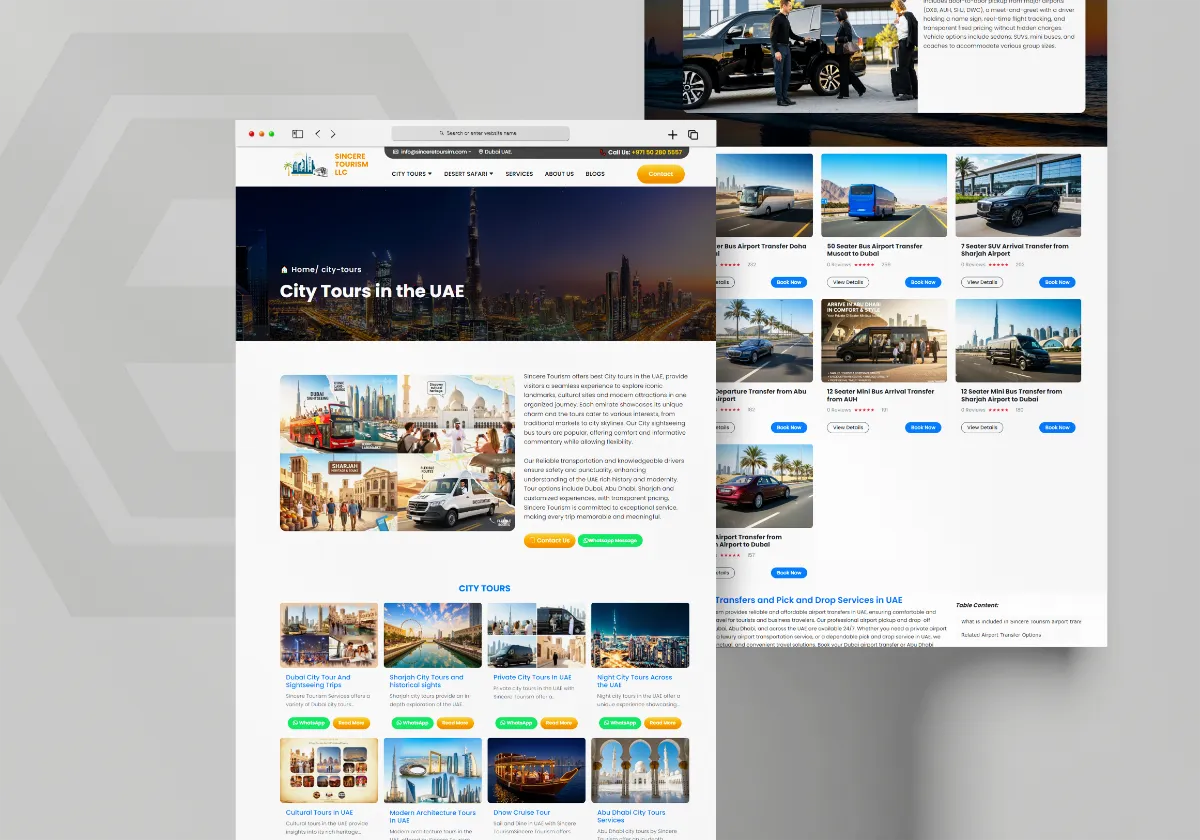
See how Al Areej IT developed a professional website for Sincere Tourism with user-friendly design, SEO-ready content, and stronger Google visibility.
Read the article


