
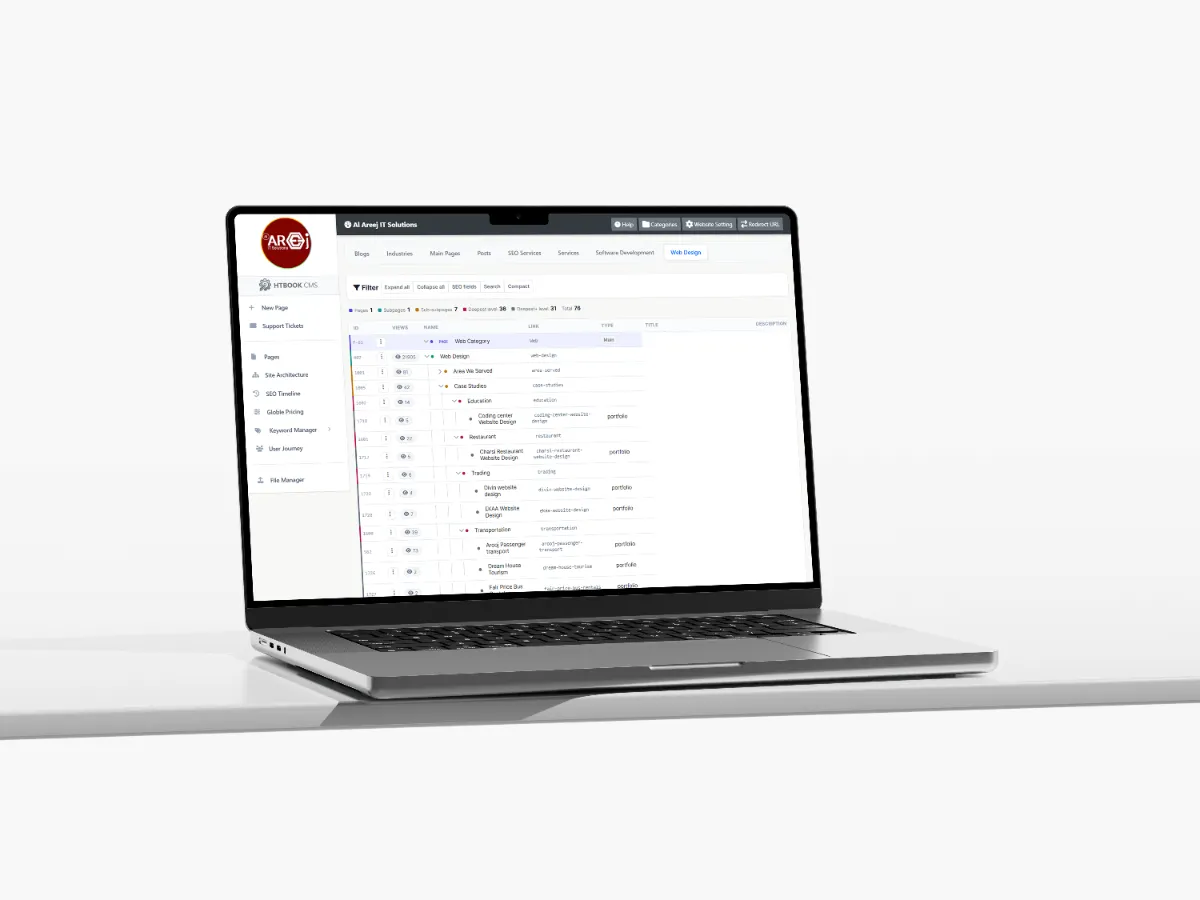
Powerful Content Management System for Websites
Manage website pages, content, SEO, URLs, files, and site structure from one powerful Content Management System built by Al Areej IT.
Read the articleLearn how to plan a business website before design and development, including goals, audience, pages, content, SEO, structure, features, budget and launch.
A good business website usually starts with a good plan. Before choosing colors, creating a homepage, or writing a single line of code, it is worth taking some time to understand what the website needs to do and who it needs to help.
This doesn't mean creating a complicated document or spending weeks planning every small detail. It simply means making the important decisions early, so the design and development have a clear direction.
When a website is planned properly, it becomes easier to decide which pages are needed, what information should be included, how visitors should move through the site, what features are required, and what the business expects from the finished website.
The first question is simple: Why does your business need this website?
Maybe you are starting a new business and need a professional online presence. Maybe your existing website looks outdated and no longer represents the company properly. You may want more enquiries, more online sales, better visibility on Google, or a better way for customers to understand your services.
There can be several reasons, but it helps to identify the main one. If generating enquiries is the priority, the website should make it easy for potential customers to understand your services and contact you. If the website is mainly for ecommerce, the planning will focus more on products, categories, search, checkout, payments, and the buying experience.
The goal should influence the website rather than the design being created first and the purpose being considered later.
A website is not really designed for the business owner. It is designed for the people who will use it.
Think about the person who is likely to visit your website. What are they looking for? What questions do they have? What might make them trust you? What information do they need before contacting you or buying from you?
For example, a person looking for a bus rental company may want to know vehicle options, seating capacity, service areas, pricing information, and how to make a booking. Someone looking for custom software may want to understand the development process, features, integrations, support, and expected project scope.
When you understand these questions, the website becomes much easier to plan.
Once the goal and audience are clear, start thinking about the information the website needs.
Most business websites need some combination of a homepage, about information, services or products, contact information, supporting pages, and useful resources. But there is no fixed number of pages that every business needs.
A small local business may only need a few strong pages. A larger company may need separate pages for every major service, location, industry, product, case study, resource, or customer group.
The important thing is that every page has a reason to exist. Adding pages simply to make a website look bigger usually creates more work without making the website more useful.
After deciding what information you need, organize it into a clear structure. This is often called the website architecture or sitemap.
Think of the structure as the map of the website. It shows which pages are most important, which pages belong together, and how someone can move from one section to another.
For example, a company offering several services may have a main Services page followed by individual service pages. A business working in several locations may have location pages connected to the relevant services. A large ecommerce website may have categories, subcategories, product pages, and supporting information.
The structure should make sense to a visitor first. It should also give search engines a clear understanding of how the website is organized.
Knowing that a page exists is not enough. You should also know what the page is supposed to accomplish.
Before designing an important page, think about its main purpose, the person reading it, the questions it needs to answer, and the action you want the visitor to take next.
A service page, for example, should explain the service clearly rather than simply repeat a short marketing description. It may need to explain who the service is for, what is included, how the process works, why the business is suitable, and how someone can get started.
This approach makes the design much easier because the designer is working with a clear content purpose instead of trying to fill empty sections with text later.
One of the most common problems in website projects is leaving the content until the end.
The design is approved, development starts, and then someone realizes that the business has not prepared the service descriptions, photographs, product information, company details, FAQs, testimonials, or other important material needed for the pages.
It is much easier when content is considered during planning. You don't necessarily need the final wording on day one, but you should know what each important page needs to contain and who will provide it.
This also helps the design team create layouts that fit the real content instead of designing around placeholder text.
SEO should be considered while planning the website, not treated as something to add after the website is finished.
When you understand what people are searching for, you can use that information to plan useful service pages, location pages, guides, categories, and other content. It also helps you avoid creating several pages that all compete for the same search intent.
Page titles, headings, URLs, internal links, content structure, image information, performance, and mobile usability can all be considered during the planning stage.
The aim is not to fill every page with keywords. The aim is to build a website that clearly explains what the business does and creates useful pages around what customers actually need.
Try to imagine the website from the visitor's point of view.
Someone may arrive through Google on a service page rather than entering through the homepage. They might read the service information, look at another related page, check your company information, and then decide to contact you.
Another visitor may arrive directly on the homepage, browse several services, read a case study, and then request a quotation.
Planning these journeys helps you decide where navigation, internal links, contact options, forms, buttons, and other actions should appear.
A website should make the next step clear.
For one business, that might be calling the company. For another, it could be requesting a quotation, making a booking, purchasing a product, submitting an enquiry, scheduling a consultation, or simply sending a message.
You don't need a large number of buttons everywhere. Usually, it is better to have a clear primary action and use the rest of the website to help the visitor feel comfortable taking it.
Some websites are mostly informational, while others need much more behind them.
If your website needs customer accounts, online payments, bookings, inventory, CRM integration, ERP functionality, APIs, dashboards, multilingual content, third-party services, or other custom features, these requirements should be discussed before development begins.
Technical requirements can affect the platform, database structure, hosting, development time, security, budget, and future maintenance. Discovering them halfway through development can create unnecessary delays and changes.
Your website needs to work well wherever people use it. For many businesses, a large part of the audience will visit from a mobile phone, so mobile usability should be part of the initial planning rather than something checked at the end.
Performance matters as well. Large images, unnecessary scripts, complicated features, and poorly optimized code can make a website slower than it needs to be.
Planning for a fast and responsive website from the beginning is generally easier than trying to fix these problems after everything has already been built.
A website project becomes much easier to manage when everyone understands what is included.
The scope should describe the main pages, features, integrations, content responsibilities, design requirements, development work, testing, launch, and any ongoing support. This gives both the business owner and development team a clearer understanding of what is being built.
It is also useful to separate what is essential for the first launch from features that can be added later. Not everything needs to be built on day one.
The technology should follow the requirements, not the other way around.
A simple company website may work perfectly well with a CMS, while a business with complex workflows may need a custom web application. Ecommerce, booking systems, customer portals, internal dashboards, and other applications can require different technical approaches.
The important question is not simply which technology is popular. It is whether the chosen solution is suitable for the business today and flexible enough for what the business may need tomorrow.
Launching the website is not necessarily the end of the project. Someone will need to update content, add services or products, manage enquiries, monitor performance, keep software updated, and handle ongoing improvements.
Decide early who will manage these responsibilities. If the business needs to make regular content changes itself, the website may need a suitable CMS. If the development team will handle updates, the support arrangement should be clear from the beginning.
A website should be tested before it goes live. Forms should work, links should be checked, pages should display correctly on different screen sizes, important content should be reviewed, and basic SEO settings should be in place.
If an old website is being replaced, redirects and existing search traffic should also be considered. You don't want to launch a new website and accidentally lose useful pages or visitors that the old website had already built up.
You don't need a huge document to plan a website properly. A useful plan can be surprisingly simple. It should explain what the website is for, who it is for, what pages it needs, what content is required, what features are needed, what the main visitor actions are, and what needs to happen before launch.
| Planning Area | What to Decide |
|---|---|
| Business Goal | What should the website achieve for the business? |
| Audience | Who will use the website and what are they looking for? |
| Pages | Which pages are needed at launch? |
| Structure | How should the pages be organized and connected? |
| Content | What information, images, products, documents and other material are required? |
| SEO | What search topics, pages, URLs, headings and internal links should be planned? |
| User Experience | How should visitors move through the website and reach the next step? |
| Features | What forms, bookings, payments, accounts, integrations or custom functions are required? |
| Technology | Which platform, CMS, hosting and development approach fits the project? |
| Launch & Support | What needs to be tested, who manages the website, and what happens after launch? |
One of the biggest mistakes is starting with the visual design before deciding what the website needs to achieve. Another is trying to copy a competitor without understanding why their website is structured the way it is.
Other problems happen when businesses add too many pages without a clear purpose, leave content until the last minute, ignore mobile users, treat SEO as an afterthought, or add complicated features without considering whether customers actually need them.
A good plan does not prevent every change. Websites evolve during development. The purpose of planning is to make the important decisions early and reduce the unnecessary changes later.
Once the goals, audience, content, structure, features, and requirements are clear, the project is ready to move into the design stage.
This is where the plan starts becoming something people can see and use. The sitemap becomes navigation, the content becomes page layouts, the user journeys become interface decisions, and the business goals begin to shape the actual experience.
That is why website planning is worth doing before design begins. It gives everyone a clearer idea of what they are building and, more importantly, why they are building it.
If you're starting a new website or replacing an existing one, you don't need to have every technical detail figured out before you begin. Start with your business, your customers, and what you want the website to achieve.
From there, the pages, content, design, technology, and SEO can be planned around those goals.
Next guide: Choosing Website Design — how to decide what type of website design approach is right for your business.
Helpful tips, insights and updates on websites, software and digital growth.

Discover the 5 things customers look for within seconds of opening your website, from clear messaging and professional design to trust, navigation, and strong calls to action.
Read the article
Manage website pages, content, SEO, URLs, files, and site structure from one powerful Content Management System built by Al Areej IT.
Read the article
Discover how Al Areej IT designed a professional website for Rotation Car Rental with responsive design, SEO-friendly structure, and stronger Google visibility.
Read the article
See how Al Areej IT developed a professional website for Sincere Tourism with user-friendly design, SEO-ready content, and stronger Google visibility.
Read the article


