
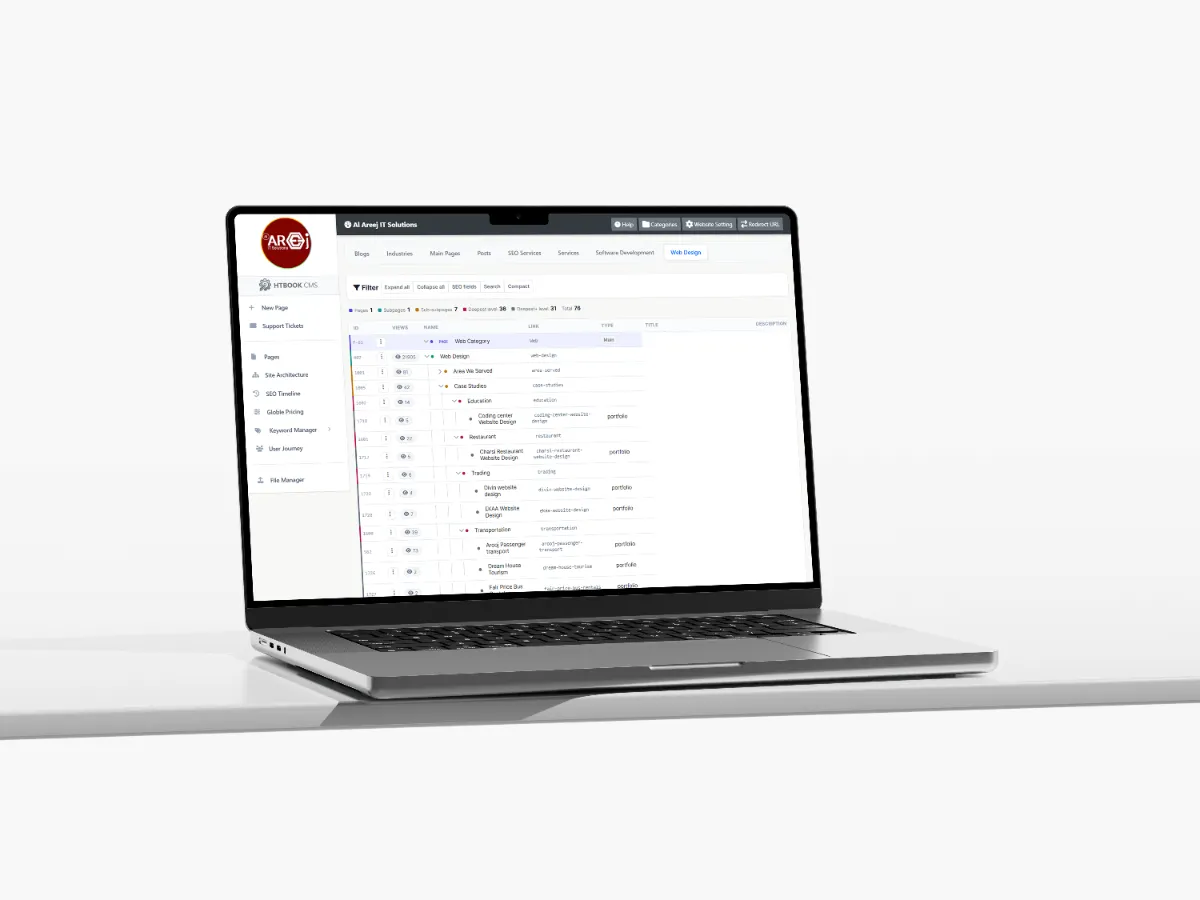
Powerful Content Management System for Websites
Manage website pages, content, SEO, URLs, files, and site structure from one powerful Content Management System built by Al Areej IT.
Read the articleLearn how to organize website pages so visitors can find information easily.
A good website is not only about how individual pages look. It is also about how those pages connect with each other. When the structure is clear, visitors can find information more easily and search engines can better understand what your website is about.
Website structure is basically the way your pages, categories, services, guides, products, and other content are organized. A simple structure can work for a small business, while a larger website may need several levels of content and carefully planned navigation.
The important thing is to build the structure around how people actually look for information rather than around the way the business happens to organize its internal files or departments.
Website structure describes the relationship between your pages. For example, your homepage may link to your main services, each service may have its own page, and some services may have supporting guides or related information.
This creates a path through the website. Visitors can start from one page and naturally move toward another page that gives them more information.
A well-planned structure also makes it easier to add new content later without turning the website into a confusing collection of unrelated pages.
Organize pages into clear levels so visitors can understand which pages are main sections and which pages provide supporting information.
Give visitors a simple way to move between the most important sections of your website without getting lost.
Connect related pages so visitors can discover useful information and search engines can understand how your content is connected.
Group related pages, products, services, or resources into meaningful sections that make the website easier to explore.
Use simple and meaningful URLs that give users and search engines a clear idea of what each page is about.
Plan the structure so new pages and sections can be added later without having to rebuild the entire website.
Before creating individual pages, identify the main sections your website actually needs. For a typical business, this might include services, about, contact, locations, portfolio, blog, or resources.
The exact structure depends on the business. A software company may need service categories and technology pages, while an ecommerce website may need product categories, collections, brands, and product pages.
There is no single structure that works for every website. The right structure is the one that makes the information easy to understand and easy to reach.
A website hierarchy shows how pages relate to each other. A simple business website might have a main services section with individual service pages underneath it.
For example, a web development website could have a Web Design section followed by pages for Business Website Design, Ecommerce Website Design, Custom Web Development, and related services.
This creates a logical relationship between the main topic and the more specific pages.
Large websites sometimes need several levels of content, but unnecessary depth can make navigation difficult.
If visitors have to click through several unrelated pages before reaching the information they need, the structure probably needs to be simplified.
Try to keep important information reasonably close to the main navigation and connect related pages directly where it makes sense.
Your navigation should reflect what visitors are likely to look for. Internal company terminology may make sense to your team but may not make sense to customers.
For example, a business might internally call something “Solutions Division A,” while customers simply understand it as “Web Design.” The website should use language that makes sense to the person visiting it.
URLs are another part of website structure. A good URL should be simple, readable, and related to the page topic.
For example:
/web-design/
/web-design/guides/
/web-design/guides/website-structure/
These URLs provide a clear indication of where the visitor is within the website.
Avoid unnecessarily complicated URLs containing random numbers, unclear parameters, or words that do not describe the page.
Internal linking helps visitors move from one useful page to another. It also helps search engines discover pages and understand their relationships.
If you have a page explaining website planning, it may naturally link to your website structure guide. A service page may link to relevant guides, FAQs, case studies, or related services.
These links should feel natural. The purpose is to help people continue their journey, not to add links simply for the sake of adding them.
For websites with a lot of content, grouping related pages can make the overall structure much easier to manage.
You might have a main topic such as Web Design, followed by service pages and supporting guides. The guides can then explain specific topics such as website planning, mobile-first design, ecommerce design, content planning, and conversion-focused design.
This gives the website a clear topic relationship instead of publishing articles as completely separate pieces of content.
The homepage is normally the starting point for many visitors, but it should not be expected to contain everything.
Its job is to introduce the business and direct visitors toward the most important sections. From there, individual pages can provide the detailed information.
Trying to place every service, location, article, product, and company detail on the homepage usually creates a crowded experience.
If your business offers several services, each important service should have enough space to explain what it is and who it is for.
A main service category can introduce the broader topic, while individual service pages can explain specific solutions in more detail.
This also makes it easier to connect related services and supporting content without putting everything into one very long page.
Businesses serving multiple cities or countries may need location-specific pages. These pages should provide genuinely useful information about serving customers in that location.
Simply replacing a city name throughout the same paragraph does not create a useful location page. A strong location page should explain the services, local context, coverage, or other information that is actually relevant to customers in that area.
A website may start with twenty pages and eventually grow to hundreds or thousands. The structure should therefore be planned with future growth in mind.
Think about what will happen when you add new services, locations, products, guides, case studies, or other content.
A good structure should allow those pages to fit naturally into the existing website instead of creating a new navigation problem every time something is added.
Website structure is closely connected with SEO. Search engines need to discover your pages, understand their topics, and understand how different pages relate to one another.
A logical hierarchy, meaningful URLs, useful internal links, clear headings, and well-organized content can all help create a stronger foundation for search visibility.
Good SEO structure should also make sense to humans. If the structure is confusing for visitors, it is usually worth reconsidering even if it appears technically correct.
One of the easiest ways to plan website structure is to create a sitemap before development starts.
List the homepage, main sections, individual pages, supporting guides, and other important content. Then look at how those pages relate to one another.
This gives you a simple picture of the website before time is spent designing and developing every page.
More pages do not automatically mean a better website. Every page should have a clear reason for existing.
A page might explain a service, answer a common question, target an important topic, support a customer journey, provide useful resources, or serve another genuine business purpose.
If several pages provide almost the same information, combining them may create a stronger and clearer resource.
The best website structures are often the ones users barely notice. People simply know where to click, where they are, and where they can go next.
When navigation is clear and related information is connected naturally, visitors can explore the website without having to think about its underlying structure.
Before launching a website, walk through it like a new visitor. Start from the homepage and try to find important services, contact information, products, locations, and other key pages.
Then try the same thing from a search engine or from a specific landing page. Ask whether a visitor can understand where they are and what they should do next.
Fixing structural problems before launch is much easier than rebuilding navigation after hundreds of pages have already been created.
A well-planned website structure helps more than navigation. It gives content writers a clear framework, helps designers create consistent layouts, gives developers a better foundation for building the system, and makes future SEO work easier.
Most importantly, it gives visitors a website that feels organized rather than confusing.
Once the website structure is clear, the next step is understanding how the actual design project should move from planning to launch.
Knowing the typical design process helps you prepare the right information, make decisions at the right time, and avoid unnecessary changes during development.
Next guide: Website Design Process Guide — understand the typical steps involved in planning, designing, developing, testing, and launching a professional website.
Helpful tips, insights and updates on websites, software and digital growth.
Discover the 5 things customers look for within seconds of opening your website, from clear messaging and professional design to trust, navigation, and strong calls to action.
Read the article
Manage website pages, content, SEO, URLs, files, and site structure from one powerful Content Management System built by Al Areej IT.
Read the article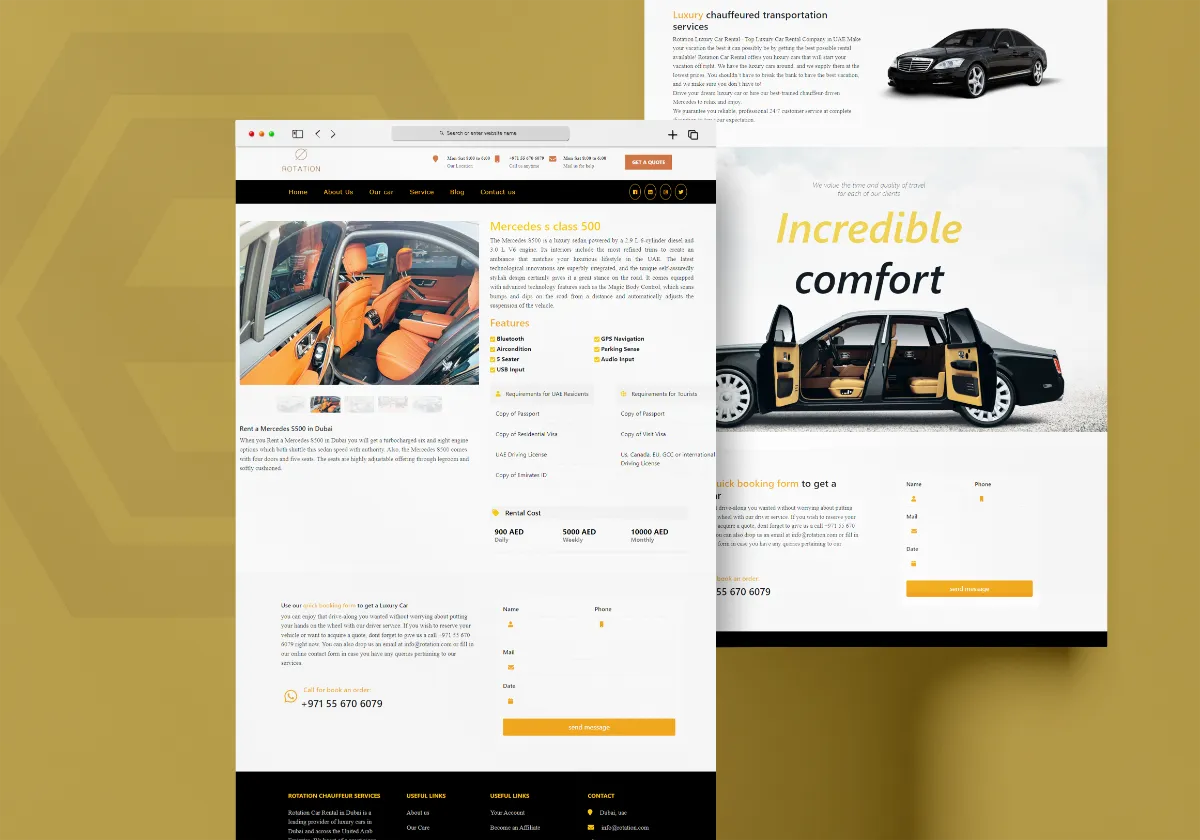
Discover how Al Areej IT designed a professional website for Rotation Car Rental with responsive design, SEO-friendly structure, and stronger Google visibility.
Read the article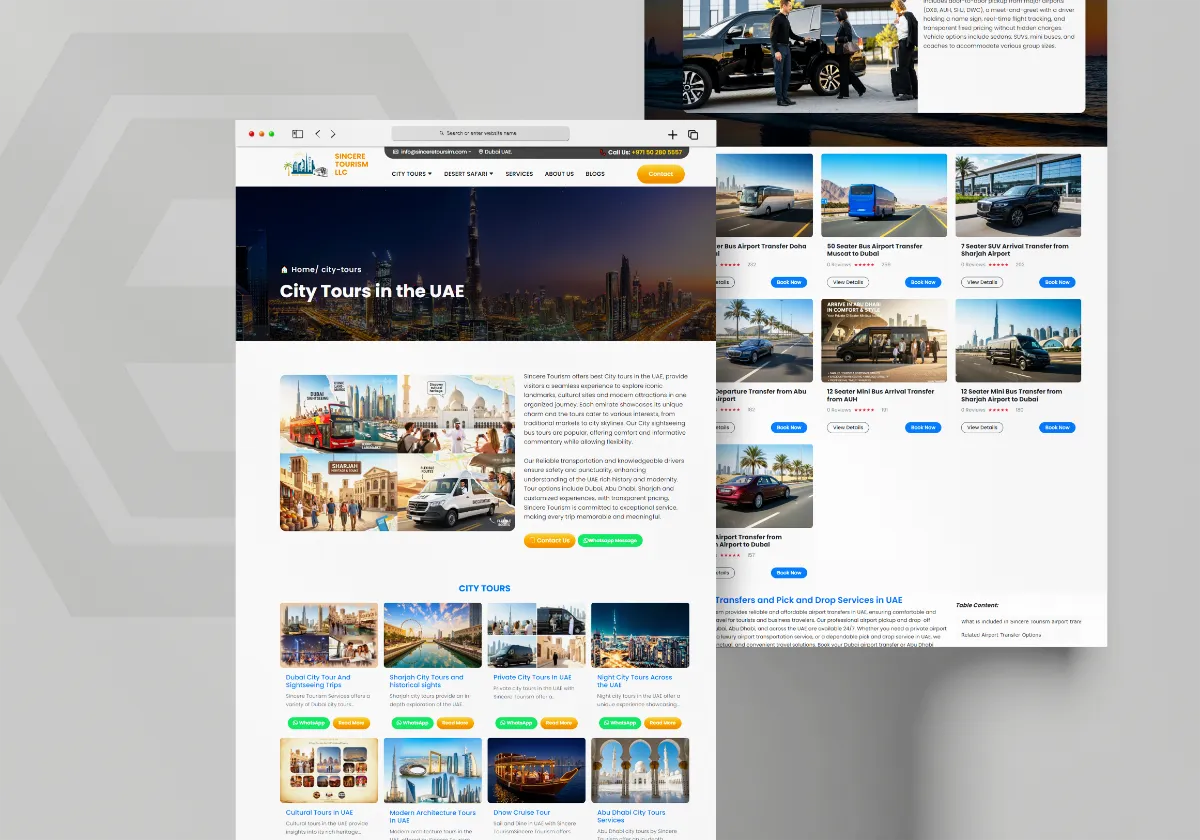
See how Al Areej IT developed a professional website for Sincere Tourism with user-friendly design, SEO-ready content, and stronger Google visibility.
Read the article


