
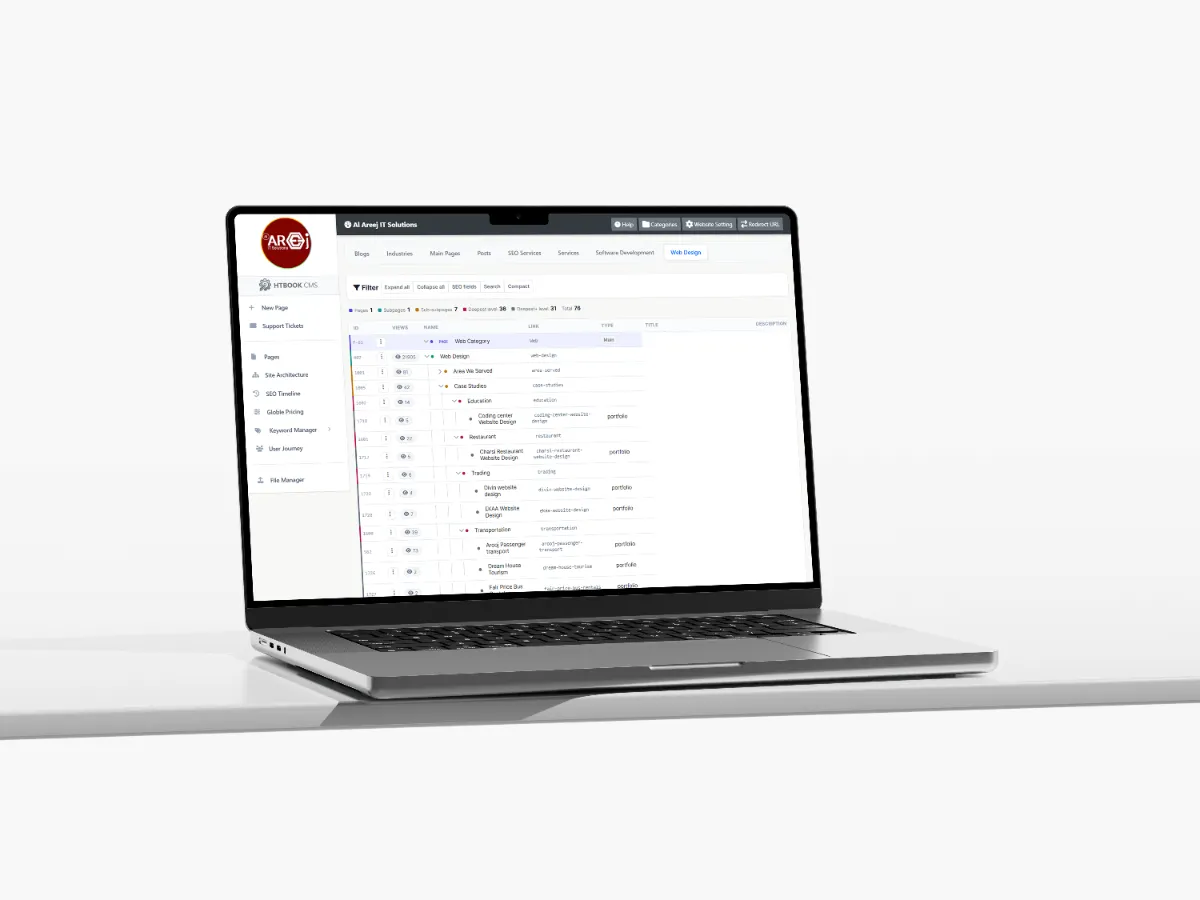
Powerful Content Management System for Websites
Manage website pages, content, SEO, URLs, files, and site structure from one powerful Content Management System built by Al Areej IT.
Read the articleLearn how to plan, structure, design, develop, and improve a professional business website with practical web design guides.
A website should help visitors understand what you offer and what they should do next.
Clear messaging, useful content, strong calls to action, simple navigation, trust elements, and well-designed forms can all contribute to a better customer journey.
Planning helps prevent unnecessary changes later in the project. Start by identifying your business goals, target customers, services, important pages, content, and required features.
A clear plan also makes it easier to organize the website navigation and create a better experience for visitors.
Not every old website needs to be completely replaced, but an outdated design can make it harder for customers to use and trust the website.
This guide explains how to review an existing website, identify problems, plan improvements, protect useful content, and prepare for a successful redesign.
Website support and maintenance keep your website secure, updated, fast, and working properly after launch. Regular checks can help prevent broken forms, outdated content, security issues, performance problems, and other technical issues that can affect your customers and business.
Ongoing support also gives you a simple way to update content, add new features, improve SEO, fix problems, and adapt the website as your business grows. A well-maintained website stays useful, reliable, and ready for future changes.
The right website design depends on your business type, customers, content, services, goals, and budget.
Before choosing a design, consider how many pages you need, what information customers look for, what actions you want visitors to take, and how the website may grow in the future.
A clear website structure helps visitors understand your business and move naturally between related pages.
We explain how to organize main pages, services, locations, supporting content, case studies, and other sections without making the website difficult to navigate.
Many people access websites from mobile phones, so the mobile experience should not be treated as an afterthought.
Mobile-first thinking encourages simple navigation, readable content, appropriate spacing, fast interactions, and layouts that can expand naturally to larger screens.
An ecommerce website needs to make product discovery and purchasing simple. Customers should be able to understand products, compare options, add items to their cart, and complete checkout with confidence.
This guide covers product pages, categories, navigation, search, cart design, checkout, mobile shopping, and other important ecommerce design considerations.
Good design needs good content. Before designing each page, it helps to understand what information customers need and how that information should be presented.
This guide explains how to plan service descriptions, company information, headings, images, calls to action, FAQs, and other website content.
A good website project starts before the visual design begins. The business goals, target audience, content, page structure, and required features should be understood first.
This guide explains the main stages of website design, from initial planning and wireframes to visual design, review, responsive design, and final preparation.
A good website usually starts long before the first design is created. Before choosing colors, fonts, images, or layouts, you need to understand what the website is supposed to do, who it is for, and what information people need to find.
This guide brings together the main things to think about when planning, designing, improving, and managing a professional business website. Whether you are creating your first website, improving an existing one, or planning a larger website for your company, these guides can help you understand the process and make better decisions.
Web design is more than making a website look attractive. It is about deciding how a website should look, how information should be presented, how visitors move from one page to another, and how the whole experience feels when someone uses it.
A well-designed website should make it easy for a visitor to understand your business. They should quickly know what you offer, why it matters, and what they can do next. Good design supports the business rather than getting in the way of it.
There is no single design that works for every business. A local service company, an online store, a hotel, a software company, and a large corporate organization may all need completely different websites.
What they have in common is the need for a clear structure, useful content, easy navigation, responsive design, good performance, and a simple path toward the action the visitor needs to take.
The best website is not necessarily the one with the most animations or the most complicated design. It is the one that helps the right people understand the business and take the next step without confusion.
Planning is one of the most important parts of web design. Before development begins, it helps to understand the purpose of the website, the target audience, the services or products that need to be presented, and the results the business expects from the website.
This is also the stage where you can decide what pages are needed, how they should be connected, what content needs to be prepared, and what features the website may require.
A little planning at the beginning can save a lot of time when the actual design and development starts.
Visitors should not have to search through a complicated menu to find basic information. A good website structure gives every important page a logical place and makes it easy for both visitors and search engines to understand the website.
Your main pages might introduce the business and its services, while supporting pages can provide more detailed information about individual services, locations, industries, products, or useful topics.
The structure should grow naturally with the business. Adding more pages later should not make the website confusing.
Design and content work together. A beautiful layout cannot solve the problem of unclear or incomplete information.
Before designing important pages, think about what a visitor actually needs to know. Explain the service clearly, answer common questions, show relevant information, and make important details easy to find.
Good content also gives search engines a better understanding of what each page is about, which makes content planning an important part of SEO as well as web design.
People use websites on phones, tablets, laptops, and large desktop screens. A website therefore needs to work comfortably across different screen sizes.
Mobile-first design starts with the smaller screen and makes sure the important information, navigation, buttons, forms, images, and content work properly before expanding the design for larger screens.
A responsive website should not simply shrink the desktop version. The layout should adapt naturally to the way people use the website on each device.
When designing a website, it is easy to think about what the business wants to show. It is just as important to think about what the visitor wants to find.
Someone visiting a service page may want to understand the service, see whether it is suitable for them, check the location, understand the process, compare options, or contact the company. The design should make these steps simple.
This is where user experience and conversion-focused design become important. The goal is not to force visitors to click everywhere. The goal is to make the next useful action obvious.
SEO should not be something added after the website has already been designed. The structure, page URLs, headings, content, internal links, performance, mobile experience, and technical setup can all affect how well a website can be understood by search engines.
When SEO is considered during planning and design, it becomes much easier to create useful pages that serve both visitors and search engines.
A website can look excellent and still provide a poor experience if it is slow. Large images, unnecessary scripts, complicated animations, poor hosting, and unoptimized code can all affect performance.
Good web design considers performance from the beginning. Images should be appropriate for their purpose, the page should load efficiently, and the technology behind the website should support the experience rather than slow it down.
Not every old website needs to be completely replaced, but there are times when a redesign makes sense. Your business may have changed, your services may have expanded, the current website may not work well on mobile devices, or visitors may struggle to find the information they need.
A redesign should not simply mean changing the colors and adding a new homepage. It is an opportunity to review the structure, content, user experience, performance, SEO, and overall purpose of the website.
An online store has additional design requirements because the website needs to help people discover products, understand them, compare options, and complete a purchase.
Product pages, categories, search, filters, images, pricing, checkout, payment options, shipping information, and customer trust all need to work together. A good ecommerce design keeps the buying process clear and removes unnecessary steps.
A website does not have to be perfect on the day it launches. Businesses change, customers change, and new information becomes available. A website should be reviewed and improved as the business grows.
You may discover that one page performs better than another, customers may ask questions that should be answered on the website, or a new service may need its own section. Small improvements over time can make a significant difference.
The guides below go deeper into specific parts of the web design process. You can start with planning if you are building a new website, or choose a specific topic if you already have a website and want to improve it.
| Guide | What You Will Learn |
|---|---|
| Business Website Planning | How to define your website goals, audience, pages, content, features, and project direction before design begins. |
| Choosing Website Design | What to consider when deciding on the right design approach for your business. |
| Conversion Focused Web Design | How page structure and design can help visitors take useful actions. |
| Ecommerce Design Guide | The main design principles behind a practical and customer-friendly online store. |
| Mobile First Web Design | Why designing for smaller screens first can create a better experience across devices. |
| Website Content Planning | How to plan the text, images, services, and information your website needs. |
| Website Design Process Guide | What normally happens from the first planning stage through design and development. |
| Website Redesign Guide | How to decide whether your website needs a redesign and how to approach the project. |
| Website Structure | How to organize pages and navigation so visitors can find information easily. |
You don't need to read everything before starting. If you are planning a new website, begin with website planning and structure. If you already have a website, you may want to look at redesign, mobile-first design, content, or conversion-focused design.
Each guide focuses on one part of the process, while together they give you a clearer picture of how a professional website should be planned, designed, developed, and improved.
Helpful tips, insights and updates on websites, software and digital growth.
Discover the 5 things customers look for within seconds of opening your website, from clear messaging and professional design to trust, navigation, and strong calls to action.
Read the article
Manage website pages, content, SEO, URLs, files, and site structure from one powerful Content Management System built by Al Areej IT.
Read the article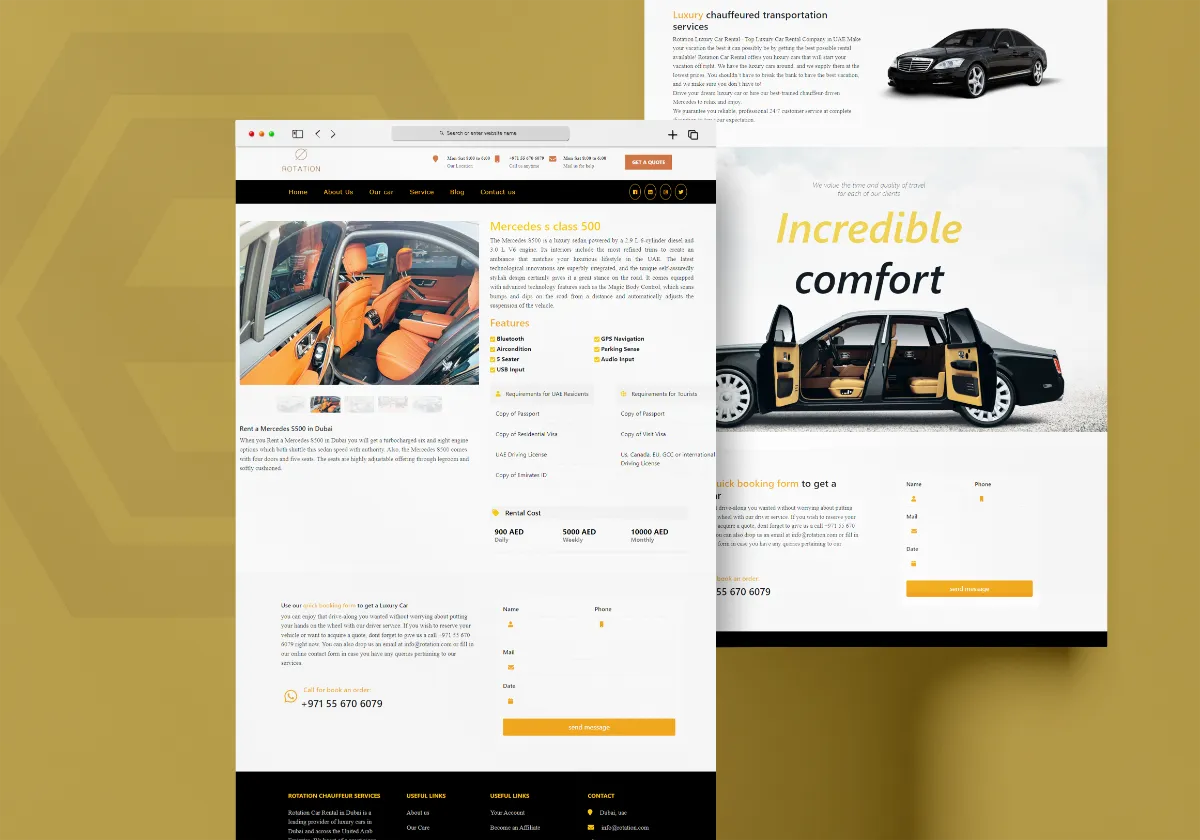
Discover how Al Areej IT designed a professional website for Rotation Car Rental with responsive design, SEO-friendly structure, and stronger Google visibility.
Read the article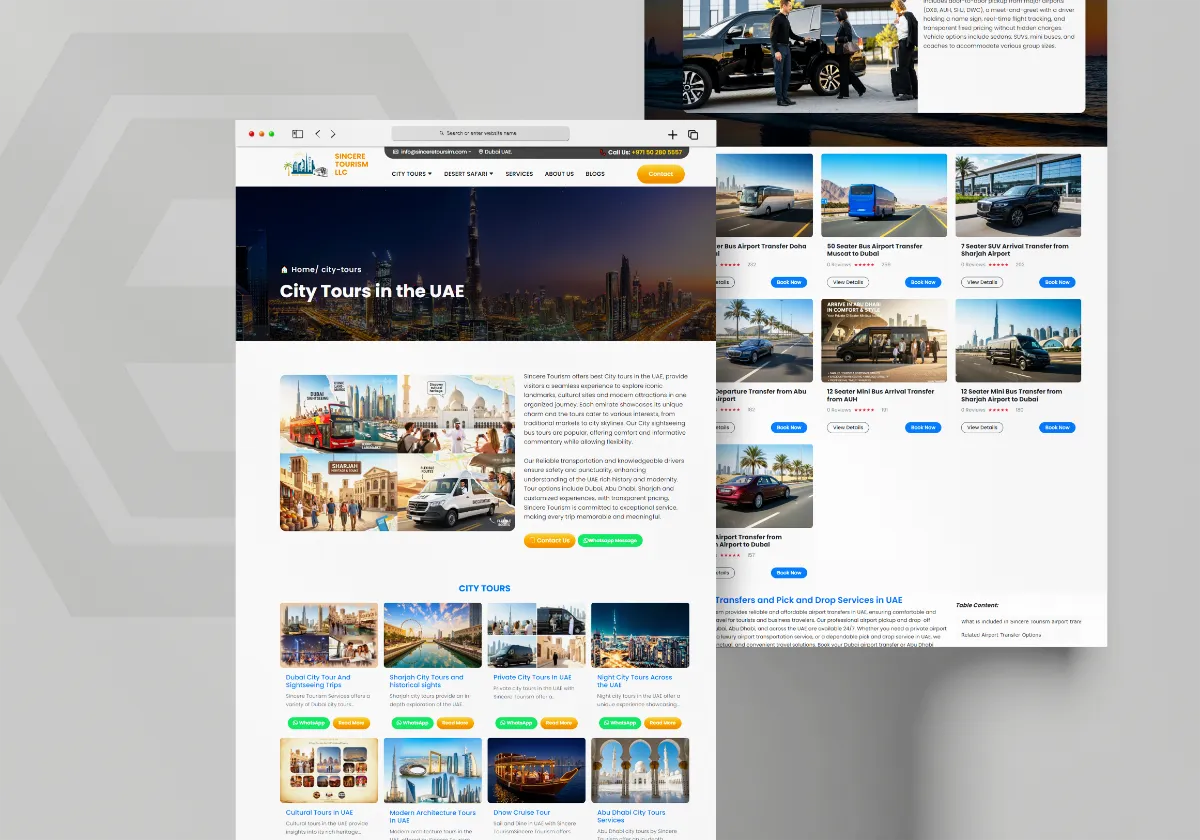
See how Al Areej IT developed a professional website for Sincere Tourism with user-friendly design, SEO-ready content, and stronger Google visibility.
Read the article


